Families Know You're Coming. Without You Touching Your Phone.
Automatic en-route text messages for home visits, sent based on your schedule. Running behind? One tap when you get in the car and you're done. No typing. No distracted messaging. No families wondering where you are.
The Communication Burden of Home Visits
Keeping families updated means constant messaging throughout the day
Typing updates between every appointment
"Running late," "On my way," "Traffic is bad," "Finishing up here"—repeated daily
Those minutes add up. More importantly, the messages often happen at the worst time when you're already rushing out the door or getting into the car.
I text some of my families when I'm on my way so they're ready for the appointment. I'll sometimes forget when I'm already running behind and that has led to some confusion where families think their appointment was cancelled or are surprised when I arrive.
RRachelEarly Intervention OT · Founding user
En-Route Messaging That Runs in the Background
Automatic texts, quick updates, no repetitive typing
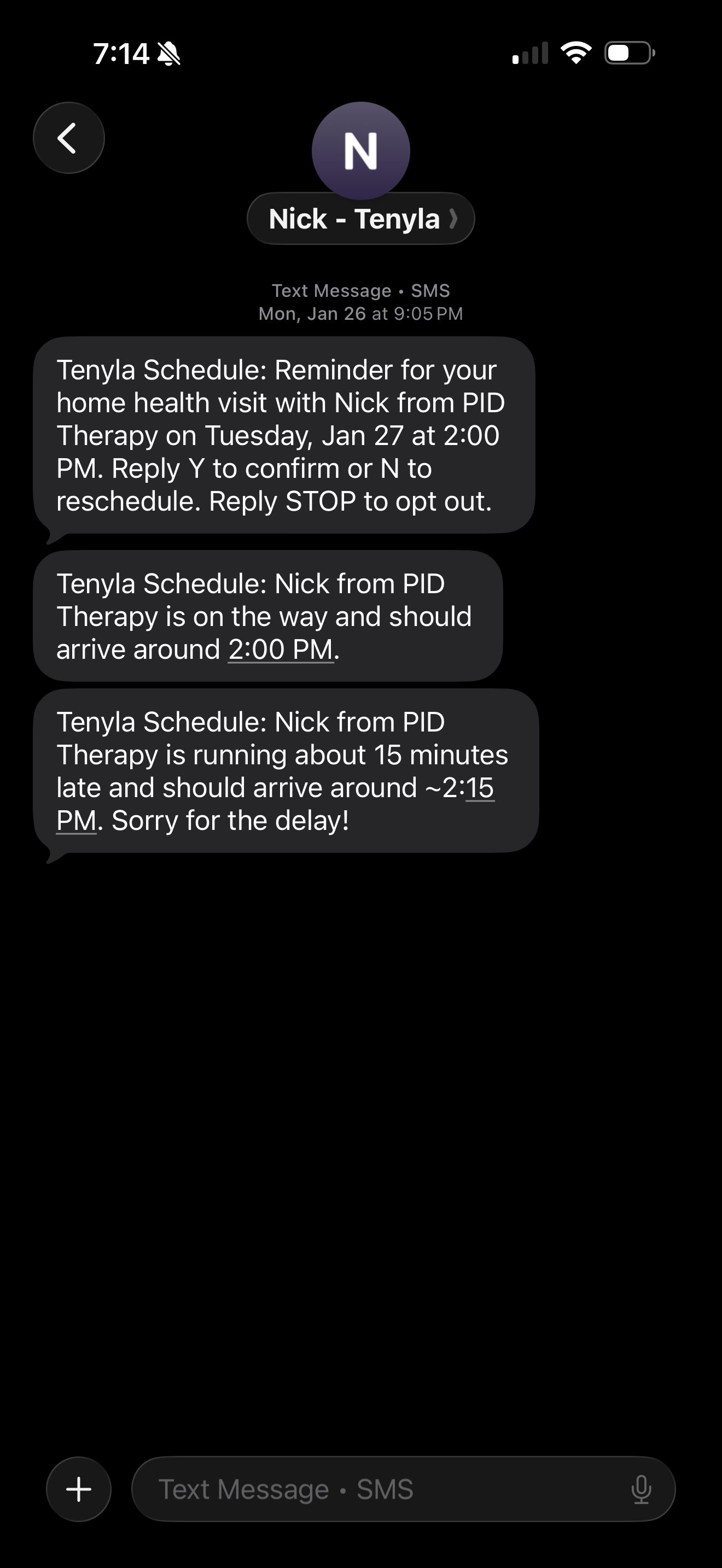
Automatic "On My Way" Texts
Text sends when you should depart based on appointment times and travel estimates.
One-Tap "Running Late"
Tap once for 5, 10, or 15 minutes. Message sends instantly.
Quick and Simple
No composing. No typing while driving. One tap before you go.
No GPS Tracking Required
Based on schedule and travel time, not live location. Privacy protected.
Message Logging
Every outgoing message logged. Accountability and audit trail built in.
Per-Patient Controls
Enable for some families, disable for others. Fully flexible.
Automatic Texts. One Tap When Needed.
Communication that keeps up with real-world schedules.
Enable "Text on Departure" for Patients
When creating a patient or series, check "Send text on departure." The system calculates when to send based on estimated travel time.
"On My Way" Sends on Schedule
The system calculates: previous appointment end time + estimated travel time. At that moment, "on my way" text sends automatically. Families know when to expect you, no phone interaction needed.
Running Late? One Tap Before You Go.
When you get in the car, open the daily view and tap a 5, 10, or 15 minute "I'm running late." button. Message sent instantly. Families are informed and you can get back on track.
Stop Typing the Same Messages Every Day
Manual texting vs. Tenyla Schedule
Manual Texting
Tenyla Schedule
Effort Required
Type message, find contact, send—every time
Automatic or one tap as needed
Time
30–60 seconds per message
Automatic
Consistency
Easy to forget when you're rushed
Every visit, automatically
Repetition
Same messages typed over and over
Set once, forever
Frequently Asked Questions
How does the system know when to send "on my way" texts?
The system uses your schedule: previous appointment end time plus estimated travel time. At that calculated departure moment, the text sends automatically—no GPS tracking, no manual triggers.
What if I finish early and leave for the next appointment sooner?
The text might send a few minutes after you've already left, but that's fine—it still gives families a heads-up you're en route. The timing is based on your scheduled end time, not when you actually finish, which keeps it predictable and automatic.
Can I customize the "running late" preset options?
The preset options are 5, 10, and 15 minutes to keep the interaction one tap. Simple and safe.
What if a family prefers not to receive these automated messages?
You can disable "text on departure" per appointment or series. Communication preferences stay fully under your control.
When should I use the "running late" button?
When you get in your car and realize you're behind, tap once before driving. The message sends instantly so you can focus on the road.