Late Cancellations Cost You More Than One Visit.
Late cancellations create unfillable gaps—stranded hours where you're waiting in coffee shops instead of treating patients. Lost sessions, lower reimbursement, wasted capacity.
Automated confirmations catch forgotten visits early and give you advance notice when families cancel—so you can adjust routes before the day starts.
The Real Cost of Late Cancellations
Unfillable gaps compound quickly.
A part-time admin. New equipment. Clinician raises. Or dozens of stranded hours waiting instead of treating.
Early Warning Changes Everything
24-hour confirmations give you time to offer makeups, reschedule, or adjust routes before the day starts.
Knowing early vs. mid-route is the difference between a lost hour and a productive one.
I always text my families to confirm appointments the night before to reduce no shows. This is pretty time consuming every evening and is a persistent stressor in my evenings and on the weekend.
RRachelEarly Intervention OT · Founding user
Confirmation System That Runs Itself
No more manual calls or tracking confirmations in your head
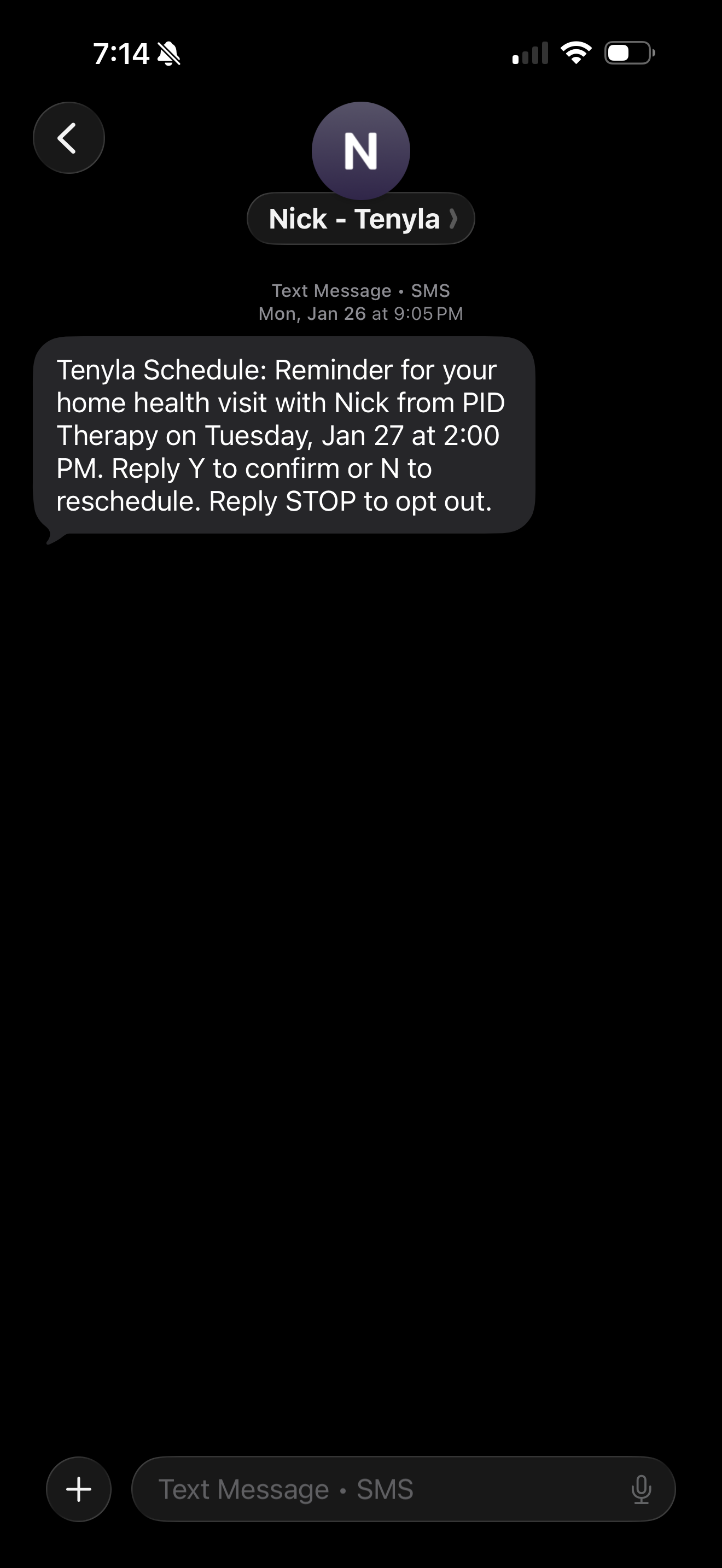
Automated 48 & 24-Hour Texts
Texts sent two days before with a follow-up the next day. Set once, forget forever.
One-Tap "Y" Confirmations
Families reply "Y" and appointments update instantly. No manual tracking.
Visual Status on Calendar
See confirmed, unconfirmed, and verified visits at a glance. No mental tracking.
Early Warning System
Unconfirmed appointments flagged before you leave the house.
Manual Override
Got a verbal confirmation? Mark it manually. You're in control.
Fewer Stranded Hours
Early notice gives you time to reroute, reschedule, or fill gaps before they happen.
Set It Once, It Runs Forever
No daily management. No manual texting. Just automatic confirmations.
Enable Per Patient
Check "Send confirmations" when creating a patient. The system handles the rest.
Texts Send Automatically
Families receive 2 confirmation texts before each visit. Replies update your calendar instantly.
Check Before Leaving
Glance at your weekly view and adjust routes or schedules before the day starts.
Why Manual Confirmations Don't Scale
Manual confirmations vs. Tenyla Schedule
Manual Confirmations
Tenyla Schedule
Time Spent
30-60min nightly
Set once, runs automatically
Missed Calls
Families don't answer, uncertainty remains
Text twice, follow-up with a personal touch as needed
Tracking
Remember who confirmed in your head
Visual status on every appointment
Consistency
Easy to forget someone on busy nights
Every appointment, every time
Timing
Mid-route or when you arrive
Know before you leave the house
Frequently Asked Questions
What if a family doesn't have texting or prefers phone calls?
You can turn off automated confirmations for specific patients. For those families, you can still call manually and use the manual override to mark them as confirmed in the system. The visual status tracking still works—you just handle that one family differently.
Do families have to reply "Y" exactly, or can they say other things?
The system looks for "Y" to auto-confirm. If they reply "Yes" or "We'll be there," the message is logged the system will follow-up that "Y" is needed for auto-confirmation.
What happens if they cancel via text?
The appointment will be marked cancelled in your calendar. If they cancelled by mistake, or follow-up you directly with a reschedule, you can always confirm the appointment yourself. The confirmation system gives you early warning, but you still control what happens next.
Can I customize the confirmation message?
No, the FCC's Telephone Consumer Protection Act puts strict limits on automated SMS. To ensure compliance and deliverability, Tenyla Schedule uses a standardized template across all users with small customization like Provider Name and Company Name so that patients can identify the sender.
Does this work with my existing EMR or billing system?
Tenyla Schedule doesn't replace your EMR. It's a lightweight scheduling and logistics tool that runs alongside it. The confirmation system helps you avoid no-shows before they happen—you still document visits and bill through your existing systems.