Your Schedule Changes. Your Mileage Tracker Keeps Up.
Home health schedules are chaotic. Cancellations, add-ons, reschedules—your day never goes as planned. This mileage tracker is built into your schedule, so it adapts automatically. No separate app. No manual logging. No lost money.
This month's savings
March 2026Every company I've worked for has done mileage differently. At one of my companies I had to copy and paste addresses to and from each appointment I had for the week, causing loads of admin work for me and our admin that handled mileage. When my calendar was different from my actual schedule, I had to keep a mental note of each change for this record.
RRachelEarly Intervention OT · Founding user
Everything You Need to Track Mileage
Adapts with you when plans change—because they always do
Embedded in Your Schedule
Mileage tracker lives inside your schedule.
Adapts to Changes
Cancellations and reschedules? Recalculated instantly.
Only Verified Visits
No-shows don't count. Only verified appointments included.
Export PDF or CSV
One click. Ready for your agency or accountant.
IRS-Compliant
Date, location, distance. Everything required for substantiation.
Real Driving Routes
Actual miles driven, not guesses.
Simple, Automatic, Accurate
No complicated setup. No manual entry. Just mileage that tracks itself.
Schedule Your Appointments
Add appointments to your calendar with patient addresses. Mileage tracking is already built in—no manual entry needed.
Mark Appointments Complete
After each visit, verify the appointment. Mileage is automatically calculated between consecutive verified appointments.
Export When Needed
End of week, end of month, tax season—generate your mileage report in whatever format you need. Whenever you need it. One click.
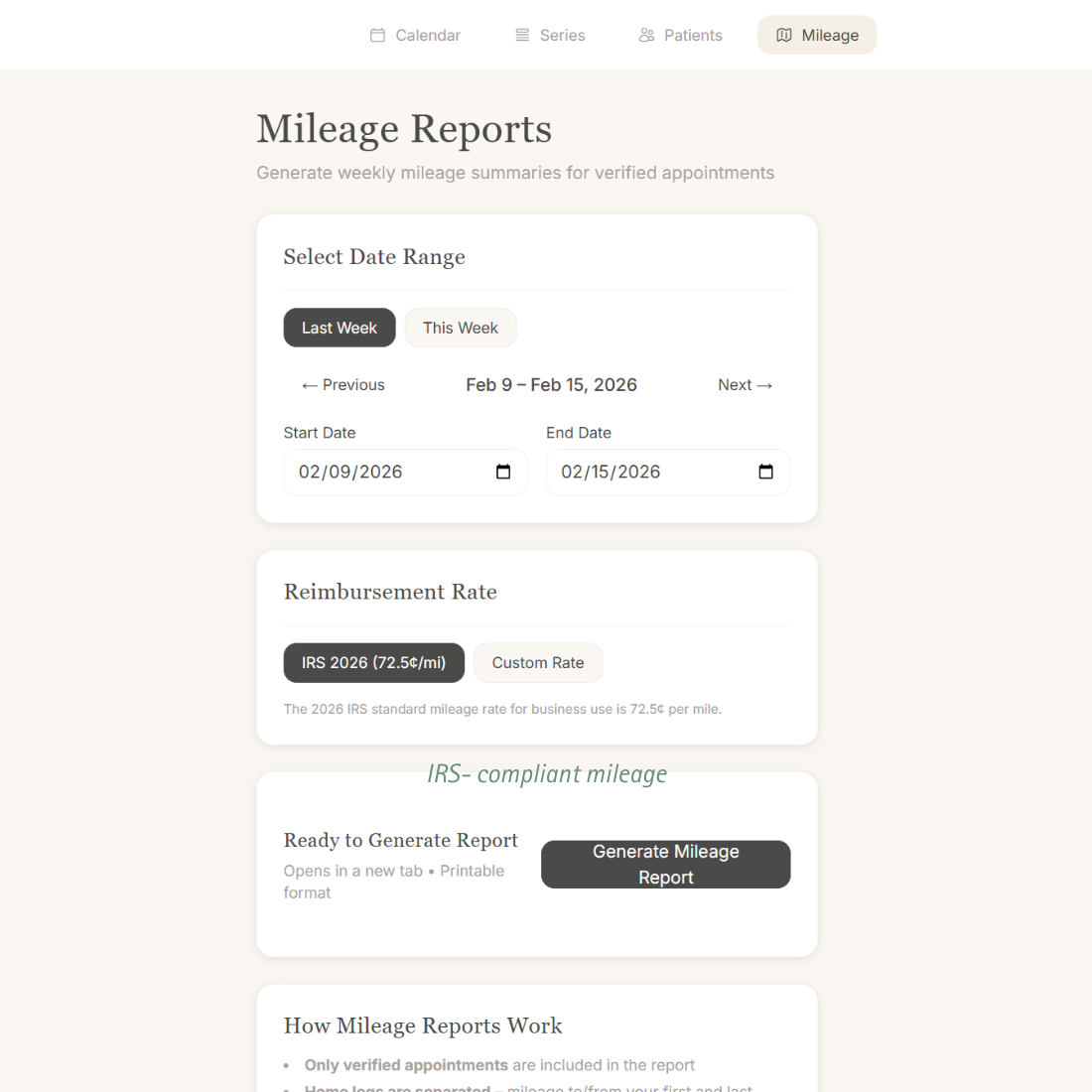
Built Different for Home Health Mileage Tracking
Generic mileage apps vs. Tenyla Schedule
Generic Mileage Apps
Tenyla Schedule
Tracking Method
Manual start/stop for every trip
Automatic from your schedule
Integration
Separate app
Built into your calendar
Data Entry
Type addresses, notes for each trip
Uses appointment data you already entered
Schedule Changes
Manually delete and re-enter trips
Recalculates automatically
Trip Verification
Tracks all trips (personal + business)
Only verified appointments count
Frequently Asked Questions
Who is this mileage tracker for?
Tenyla Schedule is designed for home health practicioners—OTs, PTs, SLPs, nurses—and small agencies that need accurate, automatic mileage tracking tied to real visits. It's not a generic driving tracker or fleet tool—it's built specifically for home health workflows.
How does this work with my existing EMR or billing system?
It doesn't replace anything—it fits in. Export your mileage report as PDF, Excel, or plain text and put it wherever you need it. We're not trying to be your EMR, your billing software, or your accounting system. Just the mileage tracker that actually works for home health.
What happens when I cancel or reschedule an appointment?
The mileage recalculates automatically based on what actually happened. If you cancel an appointment, it's removed from the mileage calculation. If you reschedule, the new route is calculated. Your mileage report always reflects your real day, not your planned day.
Does it track my location in the background?
No. We respect your privacy. Mileage is calculated based on the addresses you enter for appointments, not live GPS tracking. We're not monitoring where you actually drive—we're calculating the driving distance between the appointments you verify.
Is this accurate enough for tax purposes?
Yes. The IRS requires a contemporaneous log showing date, business purpose, destination, and mileage. Because mileage is tied to your verified appointments (which already have dates, addresses, and patient names/pseudonyms), you have everything needed for substantiation. Always consult your tax professional for specific advice.
Do I have to use the IRS reimbursement rate?
No. The IRS standard mileage rate is the default, but you can enter your company's specific reimbursement rate to estimate what you'll actually receive. This is especially useful if your agency reimburses at a different rate than the IRS standard deduction.