| Category | Miles | $ |
|---|---|---|
| Home → First | 16.4 | $11.89 |
| Between Appts | 30.5 | $22.11 |
| Last → Home | 26.4 | $19.14 |
| Grand Total | 73.3 mi | $53.14 |
| Category | Miles | $ |
|---|---|---|
| Home → First | 16.4 | $11.89 |
| Between Appts | 30.5 | $22.11 |
| Last → Home | 26.4 | $19.14 |
| Grand Total | 73.3 mi | $53.14 |
In every software tool I've used, optimizing my schedule has never been a focus. Billing and insurance are important, but so is making it on time to my appointments and reducing my admin time burden. I am excited about Tenyla because it puts the therapist first and lets me focus on what matters most. The patients.
RRachelEarly Intervention OT · Founding user
Built for Clinicians Who Drive to Patients
For solo practitioners and small agencies where therapists manage their own day-to-day schedules—with or without coordinator support.
Occupational Therapists
Physical Therapists
Speech-Language Pathologists
Home Health Nurses
What Therapists Are Stuck With Today
Tools built for clinics and billing departments. Not for the therapists who actually drive to patients.
The Old Way
You estimate drive time, pack up, and hope you make it on time. Sometimes you're rushing. Sometimes you're apologizing.
With Tenyla
Automatic departure reminders based on real traffic patterns. Wrap up on time, leave with confidence, arrive without stress.
The Old Way
Manual calls or texts the night before. Miss one family and you drive 30 minutes to an empty house.
With Tenyla
Automatic confirmation texts sent 24 hours ahead. Families reply to confirm—no app to download. You see the status updated on your calendar.
The Old Way
Spreadsheets. Trying to remember where you drove last week. Reconstructing routes at the end of the month.
With Tenyla
Automatic mileage calculation from verified visits. Export IRS-compliant reports in seconds. No manual tracking.
The Old Way
You can't see the full picture. How much time are you actually spending driving? Could you get home earlier? No way to optimize without mental gymnastics.
With Tenyla
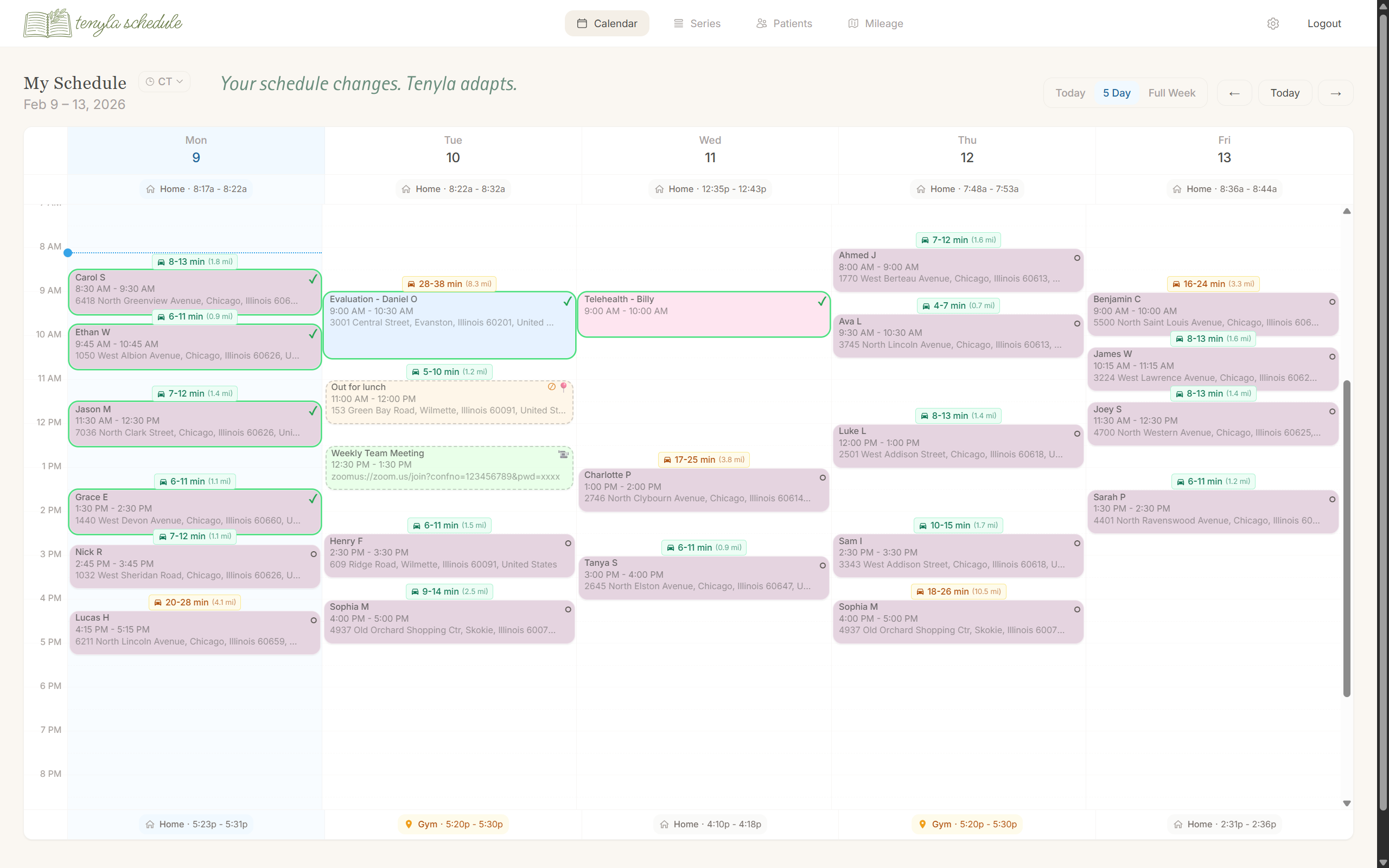
See your entire day—appointments, travel, gaps—in one view. Move visits to beat traffic. Put your last appointment closer to home. Maximize treatment time and reclaim your evening.
One Schedule, Wherever You Are
Web-based and secure. Works across your whole workflow—no app download required.
At Your Desk
- Plan the week with full calendar view
- Review travel time and confirmations
- Export mileage reports
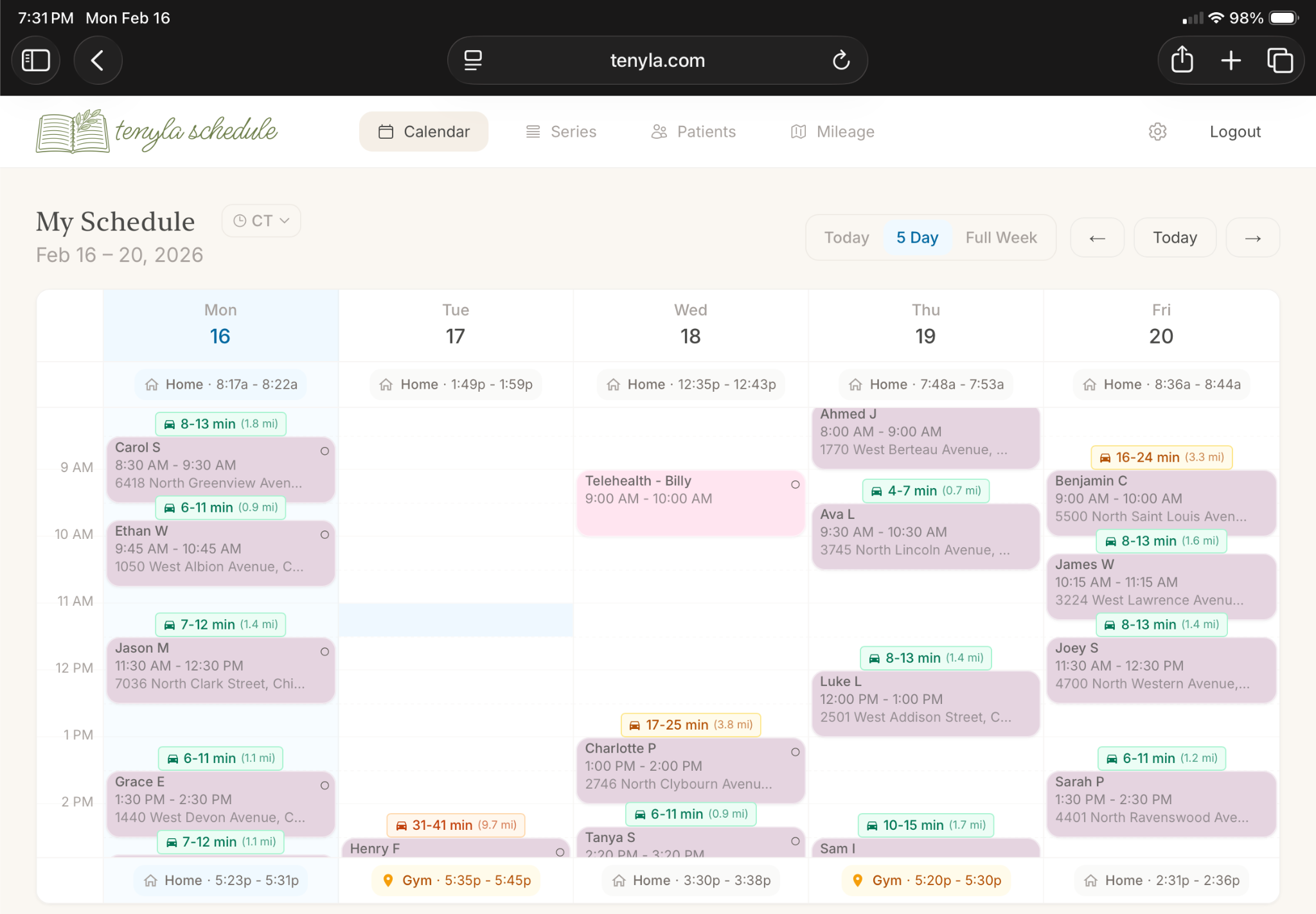
During Sessions
- See your day on a larger screen
- Check upcoming visits and buffer time
- Stay oriented without juggling tools
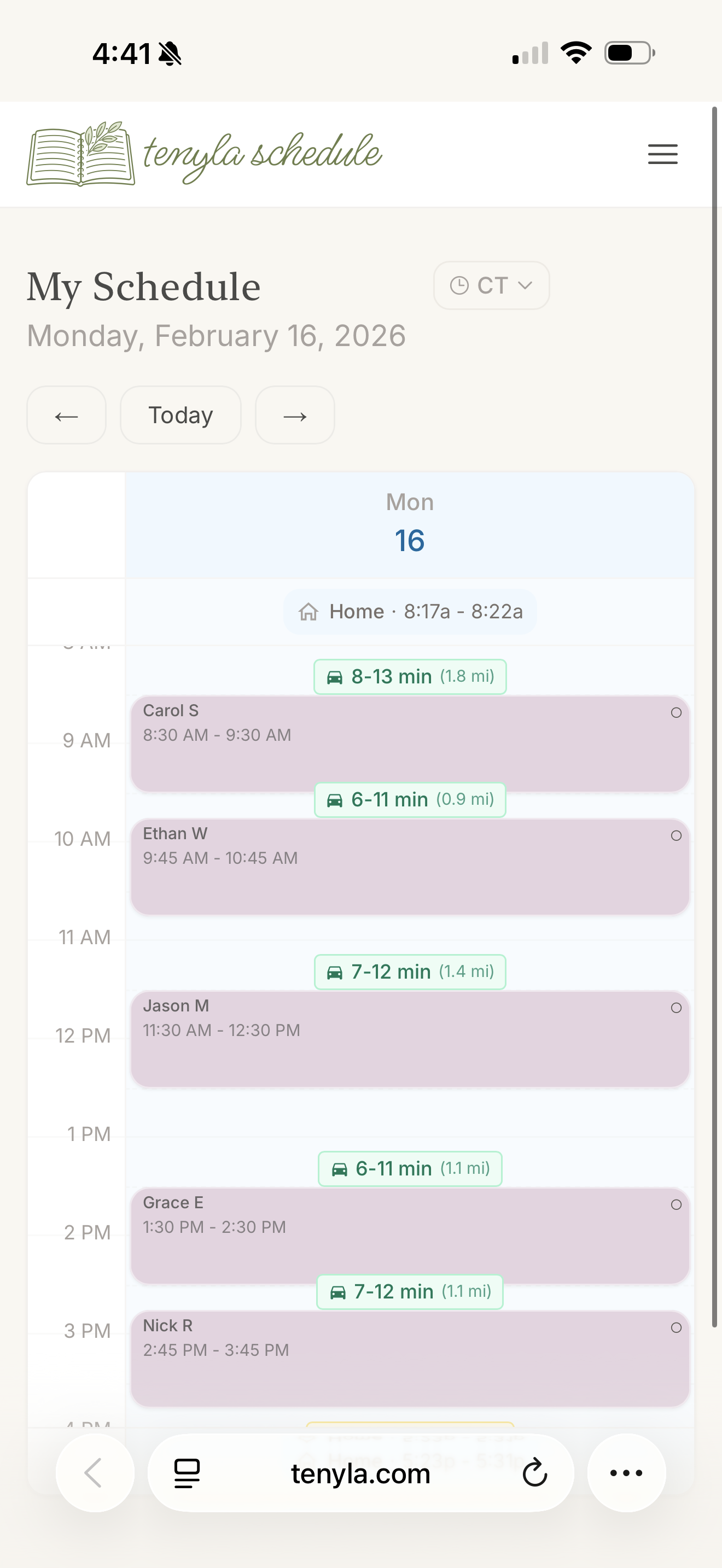
On the Go
- Check next appointment and when to leave
- One-tap "on my way" messages
- Quick reference without distraction
Runs securely in your browser across all devices. No native app download required.
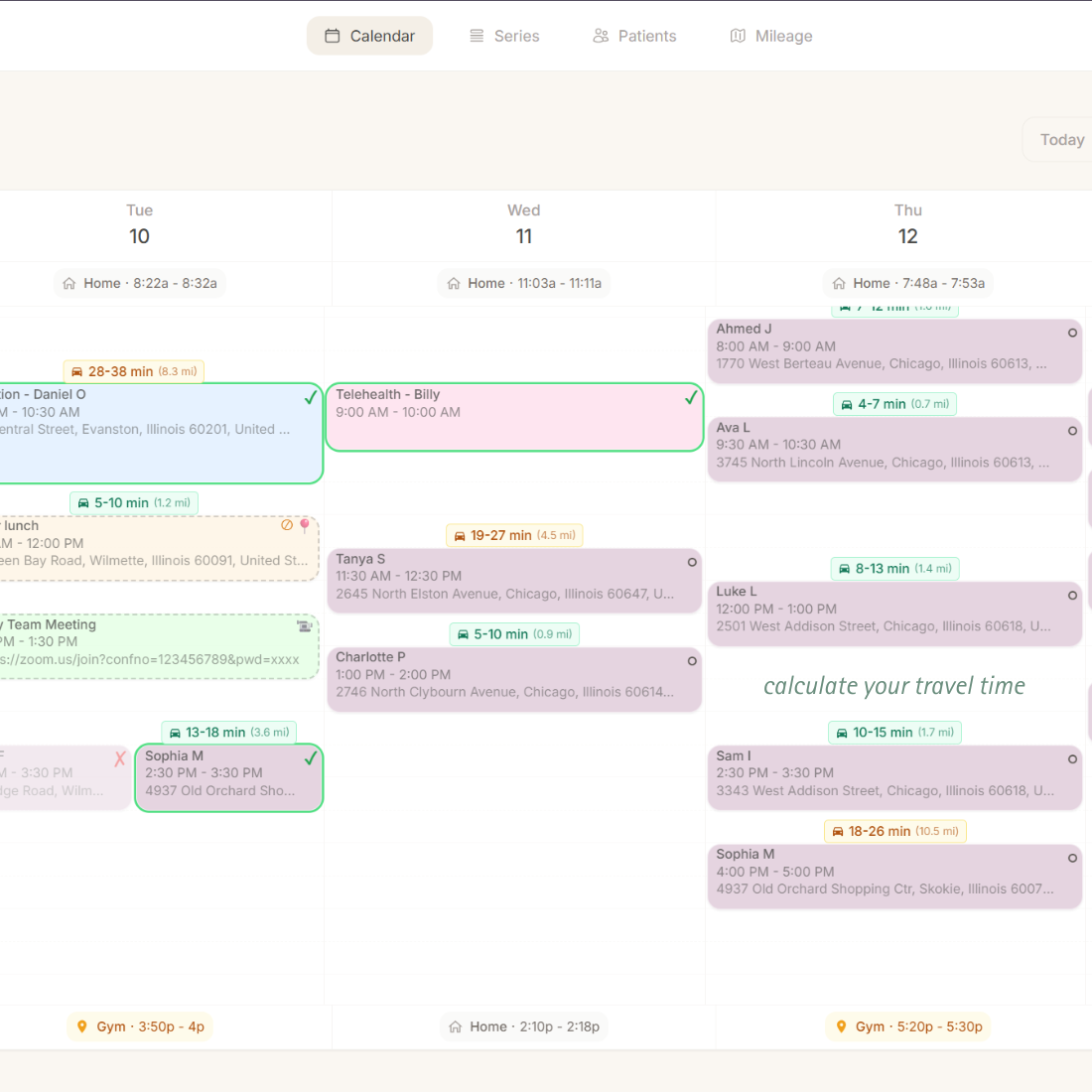
Know When to Leave, Every Time
You think you have 10 minutes between visits. The actual drive takes 18. Now you're rushing, stressed, and calling to apologize.
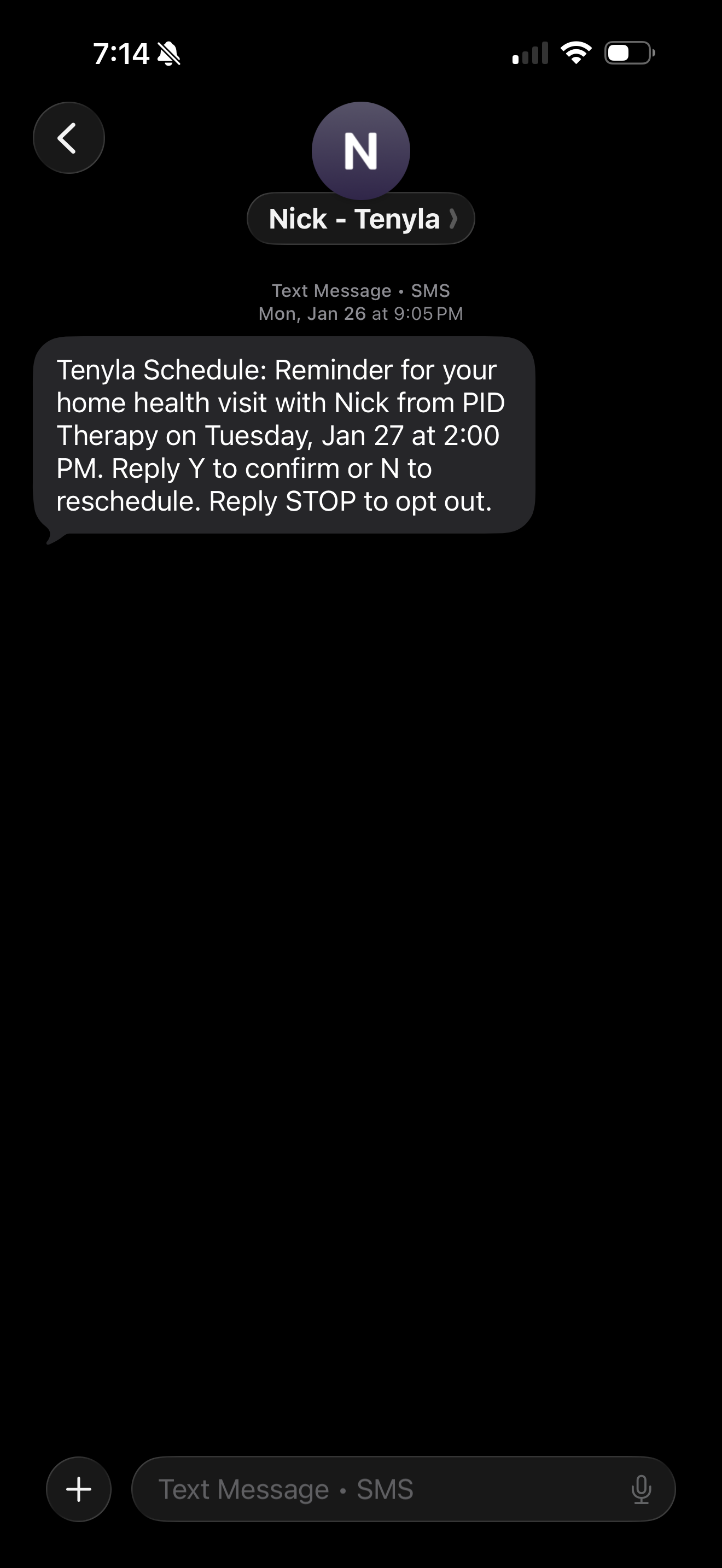
Tenyla Schedule shows real travel time directly on your calendar—based on actual road networks, not straight-line distance. See when to wrap up and leave before you commit to the schedule. No more guessing, no more apology calls.
Reduce No-Shows Without Manual Calls
Contacting families the day before to confirm visits takes time you don't have. Miss a call and you drive 30 minutes to an empty house.
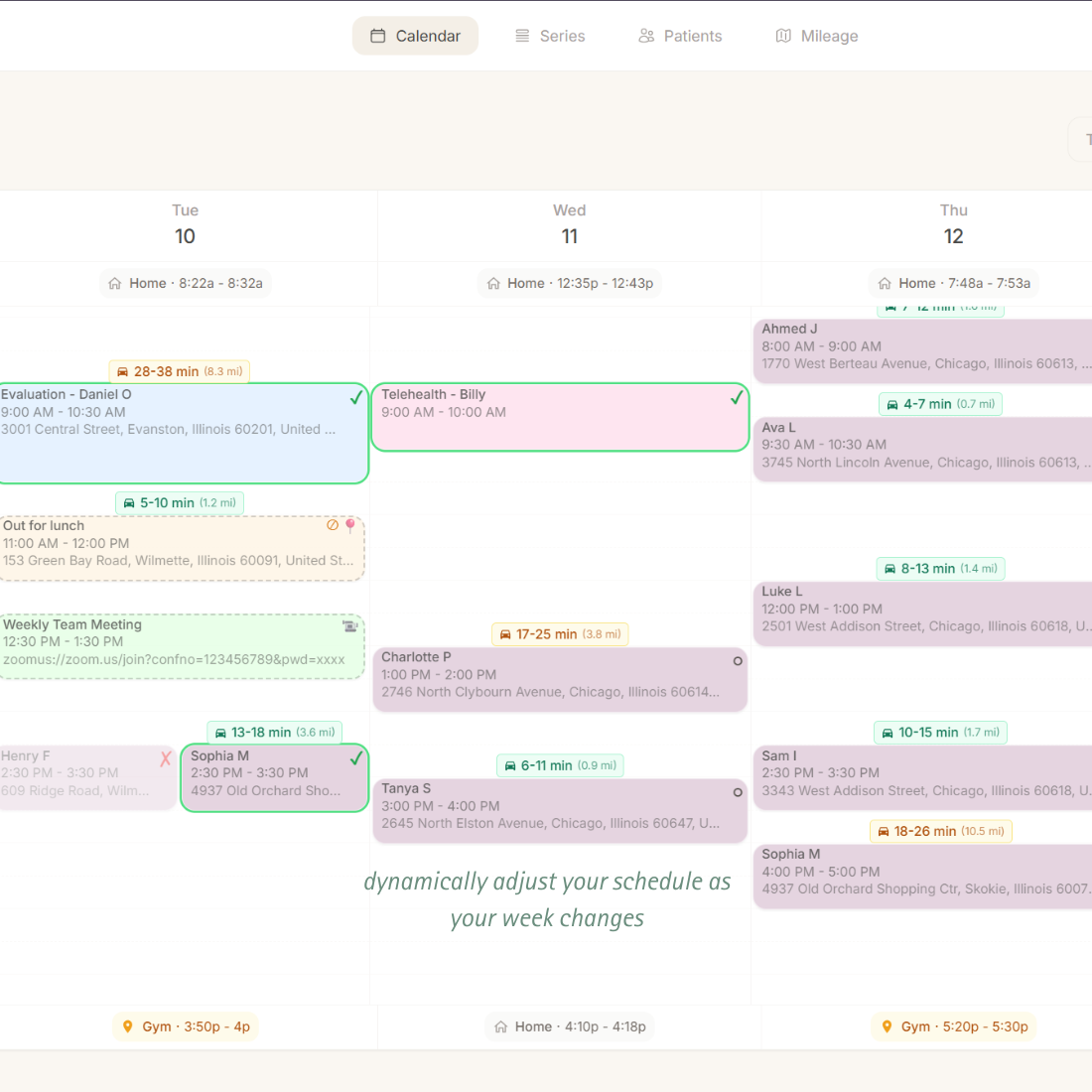
Tenyla Schedule sends automatic confirmation reminders 24 hours and 48 hours before each visit. Families reply directly to confirm or reschedule. You see the status on your calendar updated automatically.
Recurring Visits That Adapt to Reality
Most home visit schedules aren't perfectly consistent. Tommy's therapy might be Tuesdays at 10am—except when it's Wednesday this week, or 2pm next week because of a doctor's appointment.
Tenyla Schedule uses series templates with per-visit overrides. Change one visit without breaking the pattern. Adjust the whole series going forward when you need to. Your schedule stays flexible without becoming chaos.
Stop Texting While Driving
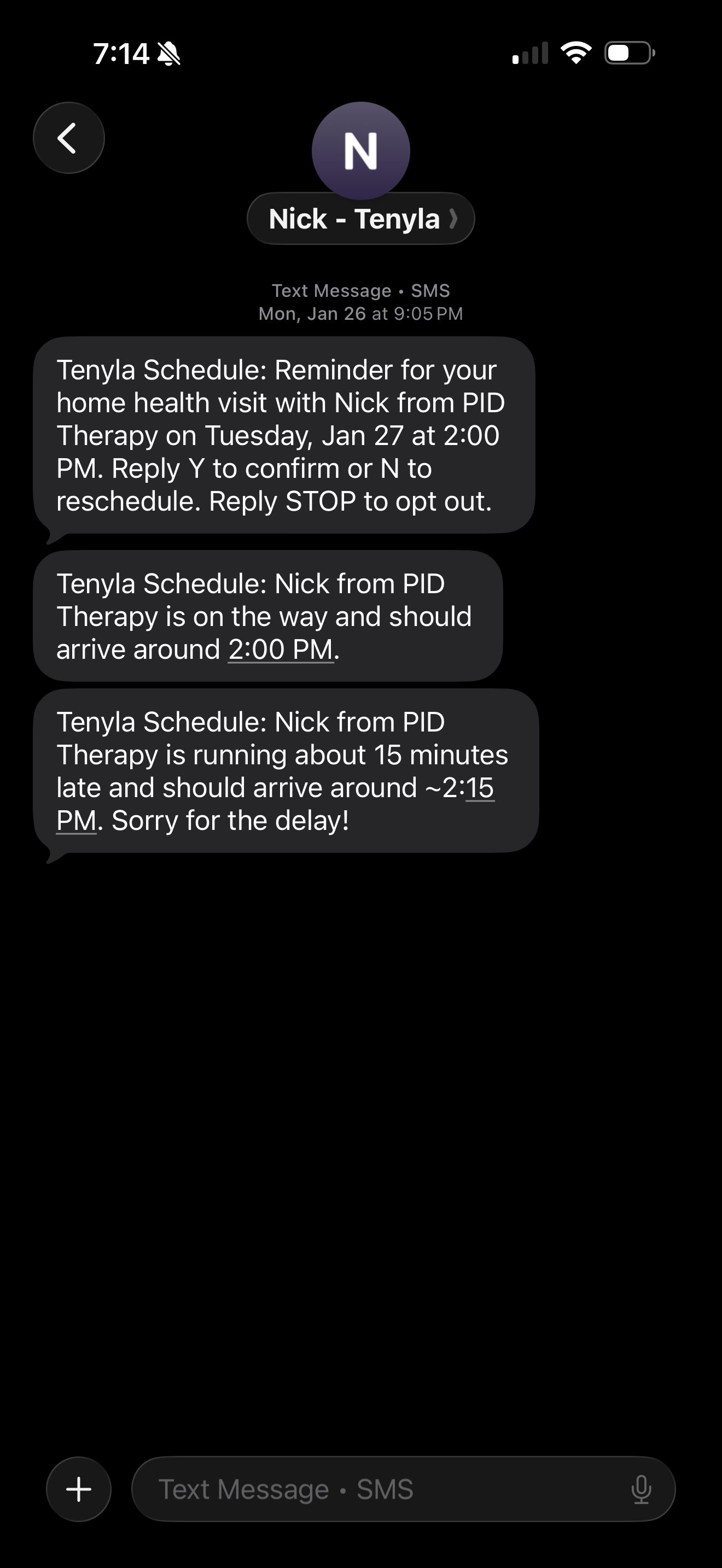
"On my way" texts get sent while you're packing up, getting in the car, or already on the road. It's unsafe, stressful, and happens at the worst possible moment.
Tenyla Schedule provides automatic en-route messages sent based on your schedule.
Running behind?
One tap when you get in the car and you're done. No typing. No distracted messaging. Just families who know when to expect you.
No More Mileage Spreadsheets
Tedious mileage tracking in a spreadsheet. Trying to remember where you drove last week. Reconstructing your routes at the end of the month for reimbursement.
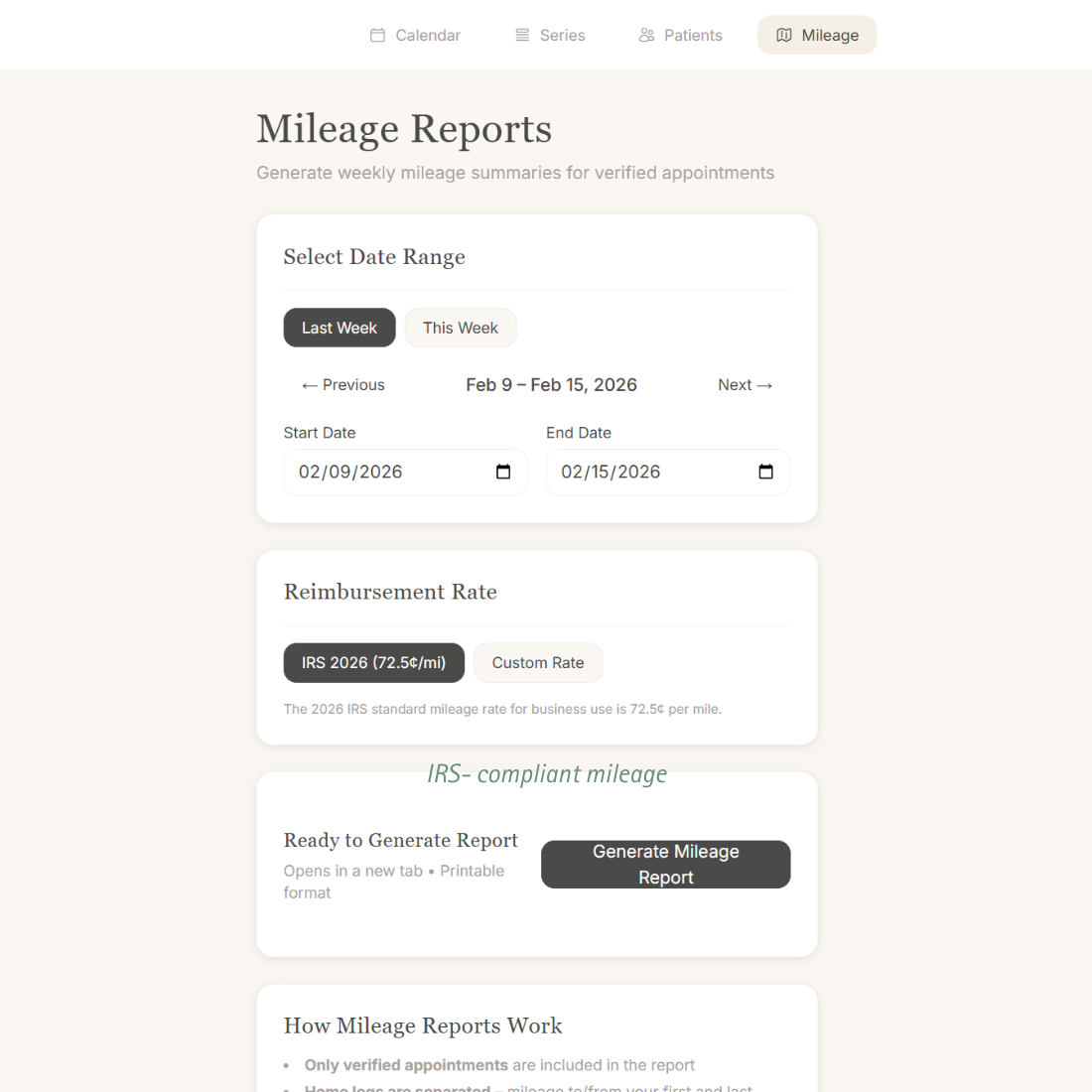
Tenyla Schedule calculates mileage based on your schedule from verified visits. Export reports as PDFs and CSVs for reimbursement in seconds. IRS-compliant records without the manual tracking.
Healthcare-Grade Security
Built with privacy and compliance in mind from day one.
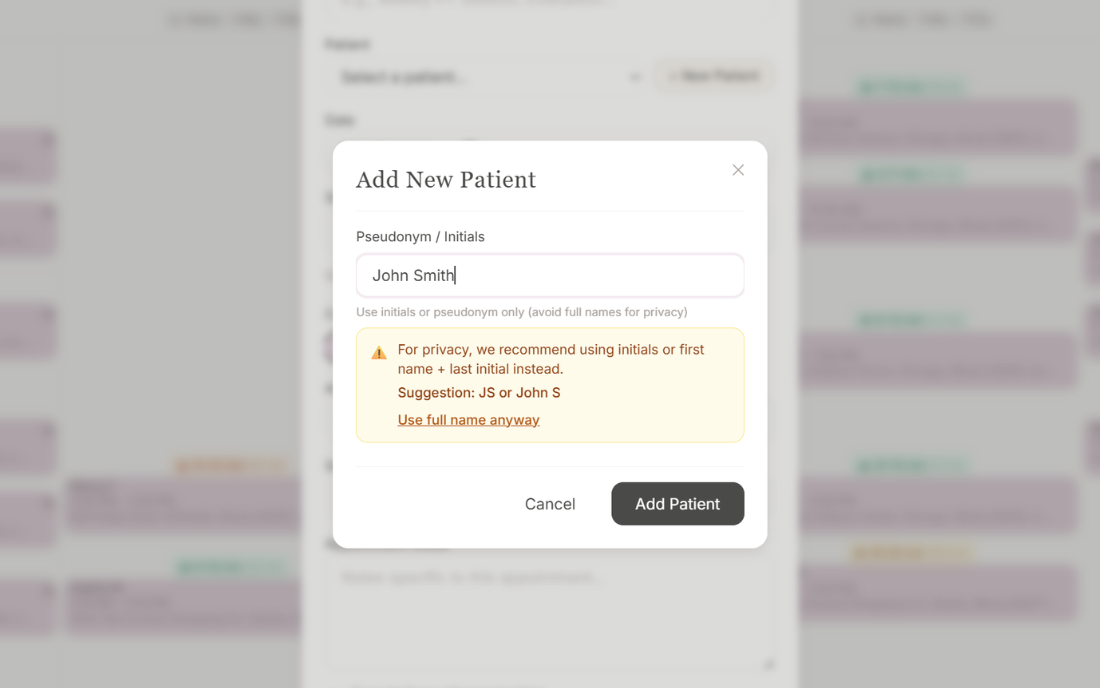
PHI Minimization by Design
Pseudonyms only. Inline warnings if you type a full name. Minimal PHI footprint by default.
Oversight Without Taking Control
Admin accounts can view any clinician's schedule for coverage and oversight. Therapists still own their day-to-day.
Switch Account
Admin Account
All schedules
Rachel's Schedule
OT — 23 visits/wk
Sarah's Schedule
PT — 19 visits/wk
Maya's Schedule
SLP — 21 visits/wk
HIPAA-Aware Design
Built with HIPAA compliance principles. Minimal PHI, encrypted storage, access controls, and audit trails.
Encryption at Rest
All sensitive data encrypted using industry-standard AES-256 encryption for data storage.
Row-Level Security
Database-level access controls ensure each clinician sees only their own data.
Secure Authentication
httpOnly secure session cookies with industry-standard authentication flows.
Audit Trails
Complete SMS audit logs tracking all messages sent, received, and their status.
Built for Rachel, Refined With You
Tenyla Schedule started because the founder's wife, Rachel, an early intervention OT, was tired of guessing travel times, texting families while driving, and losing mileage to spreadsheet chaos. We built this alongside practicing clinicians who know the rhythm of home visits. Your feedback shapes every feature.
Works Alongside Your Existing Systems
Tenyla Schedule runs alongside EMRs and billing software without requiring you to overhaul your system.
What Tenyla Schedule is not:
- •An EMR (we don't store clinical notes or treatment plans)
- •Billing software (we don't submit claims or process payments)
- •Fleet tracking software (we calculate mileage for reimbursement, not real-time GPS monitoring)
- •A dispatch platform for large agencies (we're built for individual clinicians managing their own day, not coordinators dispatching large teams)
Tenyla Schedule is your schedule — it handles the logistics of getting to patients so you can focus on documentation and billing in the tools you already use.
Frequently Asked Questions
How does the waitlist work?
Spots are prioritized by signup date — the earlier you join, the sooner you get access. We're also moving people up the list who refer colleagues, since small teams working together give us the most useful feedback for group testing. When your spot is ready, you'll get a personal invite to set up your account.
Do families need to download anything to receive appointment reminders?
Nothing. Reminders go out as standard text messages to whatever number you have on file. Families reply "Y" to confirm or "N" to cancel. No app or account needed to maximize responsiveness of patients/guardians. Their responses update your calendar automatically.
Does this work for small teams?
Yes, this tool is designed primarily for therapists that manage their own schedules, but will allow for "admin accounts" to view select therapists or all within an organization for coverage and oversight.
Is patient information stored securely?
We minimize what we store by design. Patient records use pseudonyms only — no full names, no clinical notes. The app warns you if you type something that looks like a full name. What we do store is encrypted at rest, and each clinician can only see their own data. We're built with HIPAA compliance principles from the ground up.